Understanding Visual Art Icons: A Comprehensive Guide for Design Enthusiasts
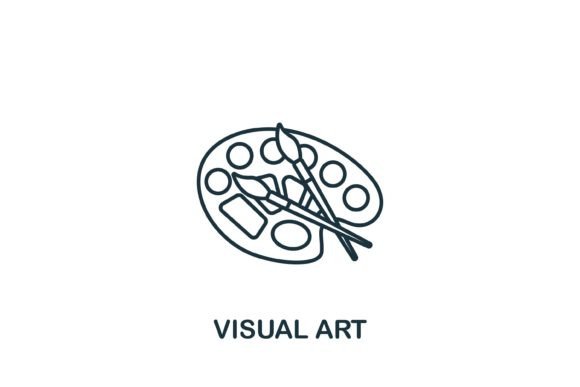
Visual Art Icon is a versatile and minimalist symbol designed to enhance templates, web designs, and infographics. These icons are crafted with simple line elements, making them easy to integrate into various design projects. Available in multiple file formats—EPS, JPG, AI, and SVG—Visual Art Icons are not just visually appealing but also highly functional.
What Makes Visual Art Icons Distinct?
The primary distinction of Visual Art Icons lies in their simplicity and elegance. Unlike more complex or detailed icons, these symbols are created with clean, straightforward lines, which can be easily recognized and understood. This minimalistic approach ensures that the icons do not overwhelm the design but rather complement it, adding a touch of sophistication without distracting from the overall message.
File Formats and Ease of Use
One of the key advantages of Visual Art Icons is the availability of multiple file formats. Here’s a breakdown of each format and its benefits:
- EPS (Encapsulated PostScript): Ideal for high-quality printing and scalable vector graphics, EPS files ensure that the icon looks sharp and clear at any size.
- JPG (Joint Photographic Experts Group): Suitable for web use, JPG files provide a good balance between quality and file size, making them perfect for online applications.
- AI (Adobe Illustrator): The native format for Adobe Illustrator, AI files allow for extensive editing and customization, making them a favorite among professional designers.
- SVG (Scalable Vector Graphics): Perfect for web and mobile applications, SVG files are resolution-independent and can be scaled to any size without losing quality.
Comparing Visual Art Icons with Other Design Elements
When comparing Visual Art Icons with other design elements, such as detailed illustrations or photographic images, the primary difference is in the level of detail and the intended use. While detailed illustrations and photographs can add depth and realism to a design, they may also complicate the layout and make it harder to focus on the main content. In contrast, Visual Art Icons provide a clean and uncluttered look, making them ideal for modern, minimalist designs.
Strengths and Tradeoffs
The strengths of Visual Art Icons include their versatility, ease of use, and the ability to blend seamlessly into a wide range of design projects. They are particularly well-suited for creating infographics, where clarity and simplicity are paramount. However, there are some tradeoffs to consider. For instance, if your project requires a more detailed or realistic representation, Visual Art Icons might not be the best choice. Additionally, while they are great for minimalist designs, they may not be as impactful in contexts that call for a more artistic or elaborate style.
Best-Fit Situations and Limitations
Visual Art Icons are an excellent choice for projects that require a clean, modern aesthetic. They work particularly well in the following scenarios:
- Web design, where simplicity and quick loading times are crucial.
- Infographics, where the goal is to present information in a clear and visually appealing way.
- Templates, where the icons need to be easily customizable and scalable.
However, there are situations where Visual Art Icons may not be the most suitable option. For example, if you are working on a project that demands a more traditional or ornate style, or if you need highly detailed and realistic imagery, you might want to consider other design elements.
Decision Factors for Choosing Visual Art Icons
When deciding whether Visual Art Icons are the right choice for your project, consider the following factors:
- Aesthetic Preference: If you prefer a minimalist and modern look, Visual Art Icons are a great fit.
- Project Requirements: Assess whether the project calls for simplicity and clarity, or if it needs more detailed and intricate design elements.
- Target Audience: Consider the preferences and expectations of your audience. A younger, tech-savvy audience may appreciate the clean, modern look of Visual Art Icons.
- Technical Skills: If you are comfortable using vector graphics software like Adobe Illustrator, the AI and SVG formats will be very useful.
Conclusion
Visual Art Icons offer a unique and practical solution for designers looking to add a touch of elegance and simplicity to their projects. With their clean lines and multiple file formats, they are versatile and easy to use. By considering the specific requirements and context of your project, you can determine whether Visual Art Icons are the right choice for you. Whether you are designing a website, creating an infographic, or developing a template, Visual Art Icons can help you achieve a polished and professional look.